Projects
Most of the projects on this page started the same way: I ran into a problem, became annoyed by it, and decided to build a solution.
Some are practical.
Some are educational.
Most are both.
Yggdrasil - The server
Yggdrasil exists because I enjoy understanding how systems work and because I rarely agree with the security assumptions made by off-the-shelf solutions.
Many commercial products are designed around convenience, broad compatibility, and reducing administrative overhead. Those goals make sense for a producer, but they often come with recurring costs, reduced control, and security compromises.
When I can do it myself, I would rather build, maintain, and understand it myself.
What began as “I need a NAS” quickly evolved into a platform for learning virtualization, storage architecture, encryption, backup strategies, service hosting, and infrastructure design. Each new requirement introduced another technology to explore, and every rebuild became an opportunity to improve the design.
Today, Yggdrasil serves as the foundation of my network. It hosts the majority of my services: media streaming, documentation, web applications, management tools, and more.
One of the more practical outcomes of the project was media preservation. After looking at a growing collection of aging DVDs, I began digitizing and preserving them through Jellyfin. That naturally led to questions about storage reliability, bit rot, backups, and recovery, ultimately driving the adoption of encrypted storage and ZFS.
The project started as needing something simple, but it has turned into understanding how servers function, maintaining control over the environment, and building solutions for my requirements rather than accepting someone else’s.
Yggdrasil isn’t finished. Yggdrasil will never be finished.
“Router” - The Firewall
Flat networks have always bothered me. For a long time I simply didn’t have the equipment needed to do much about it.
That changed when I built an OPNsense firewall to learn routing, firewall management, and network design. What started as a learning exercise quickly turned into a larger project.
The more visibility I gained into the network, the more uncomfortable I became with how much blind trust existed between devices. Work systems, personal devices, IoT equipment, cameras, and management interfaces all occupied the same space with few meaningful boundaries between them.
The turning point came when I began examining a legacy camera system connected to the network. The camera interface was being served on port 80 with virtually no protections. The hardware was old and I could see every country you can think of in the logs touching this thing. Since the cameras didn’t belong to me, I couldn’t control the cameras themselves; however, I could control where they lived and what they were allowed to communicate with.
That realization led to an ongoing effort to segment the network, isolate untrusted devices, replace infrastructure that lacked proper VLAN support, and reduce trust assumptions between systems.
Today the project continues to evolve as new services, networks, and security requirements are introduced. The objective is simple: a compromise of one device should not become a compromise of everything else.
Beacon - The Network Toolkit
Beacon started as a simple idea: network troubleshooting should not require a backpack full of tools.
Too often, basic troubleshooting turns into a scavenger hunt. You need a laptop to check connectivity, a scanner to identify neighboring devices, another tool to verify DHCP operation, and yet another utility to inspect traffic.
Beacon combines those functions into a single portable device.
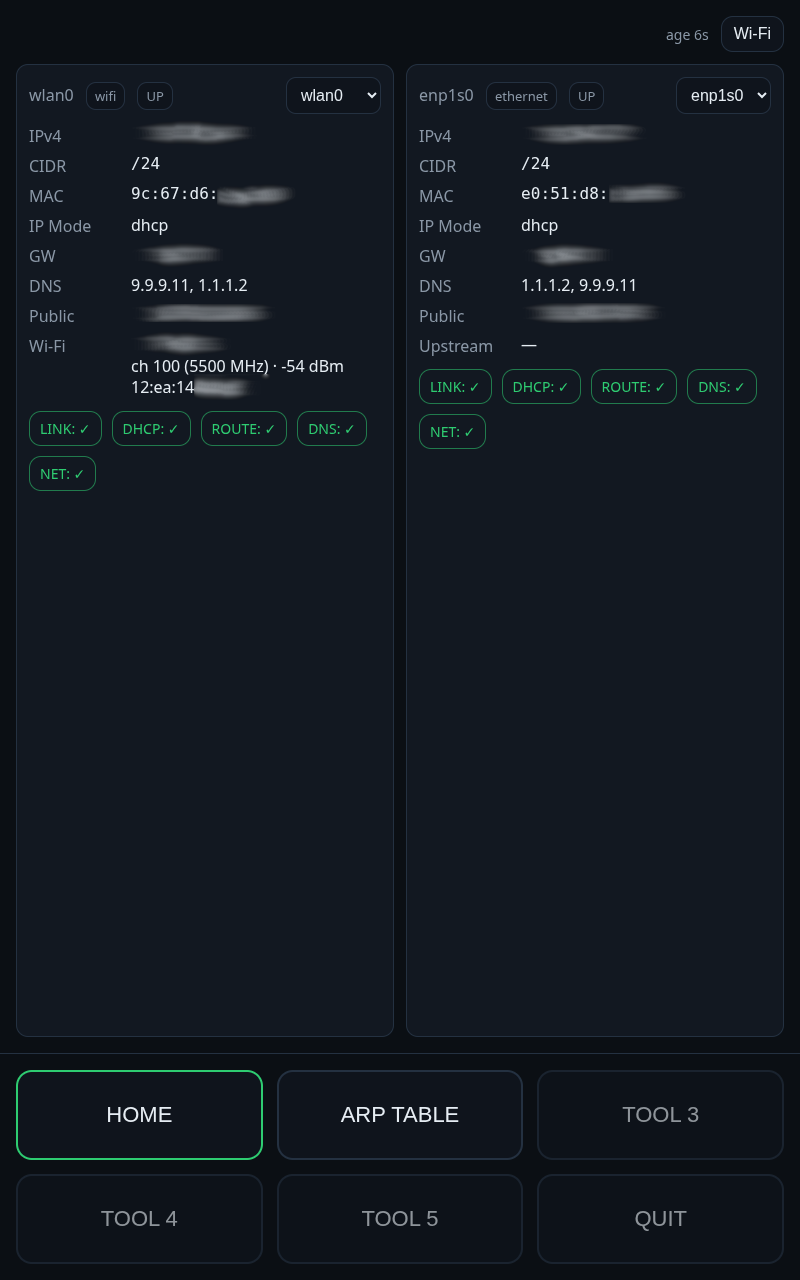
Built on a touchscreen mini PC, Beacon boots directly into a custom interface designed around rapid network diagnostics. It can display interface status, DHCP information, public and private addressing, neighboring devices, and switch information while supporting multiple interfaces simultaneously.
The long-term goal is to create a portable network toolkit capable of troubleshooting, validation, discovery, and traffic analysis without requiring a full workstation.
Planned capabilities include rogue DHCP detection, remote subnet scanning, DHCP testing, and packet inspection through inline passthrough connections.
Heimdall - The Monitor
One of the most frustrating parts of managing infrastructure is not knowing something is wrong until users start complaining.
A drive fails.
A service slows down.
The network feels sluggish.
Something changes and you know there is a problem, but you don’t have enough visibility to immediately understand why.
Heimdall was created to solve that problem.
Built around a Raspberry Pi 5 and touchscreen display, the goal is to provide a dedicated view into the health of the environment, bringing together infrastructure monitoring, hardware status, network visibility, and security telemetry into a single dashboard.
The project is also driven by a desire to develop stronger monitoring and investigation skills. It’s easy to know that something is broken. Understanding why it broke is often much harder. Heimdall exists to make those answers easier to find.
Long term, Heimdall will serve as both an operational dashboard and a platform for exploring security monitoring, alerting, and incident response concepts.
Muninn - The Identity Platform
As the number of self-hosted services grew, so did the number of places requiring authentication.
What started with a handful of applications quickly became a collection of separate usernames, passwords, security settings, and access controls. While manageable at first, it became clear that authentication itself was becoming infrastructure.
Muninn is an effort to centralize identity, authentication, and access control across the environment.
Built around Authentik, reverse proxy technologies, and single sign-on, the project aims to provide a consistent authentication experience while reducing the complexity of managing security across multiple applications.
Rather than exposing services directly, Muninn will serve as the gateway between users and applications, providing authentication, authorization, and security controls before access is granted.
The project is currently in the planning stage, with hardware already acquired and initial deployment focused on Authentik, reverse proxy integration, and centralized authentication services.
Muninn is one of Odin’s two ravens. Muninn travels the world gathering information and returning with knowledge. The name felt appropriate for a platform responsible for knowing who users are, what they can access, and how they interact with the services behind it.
Huginn - The Security Platform
Building infrastructure is only half of the challenge. Once systems are deployed, they must also be monitored and defended.
Understanding the health of the environment requires visibility into endpoints, network traffic, system activity, and historical trends.
That is why I have Huginn.
Huginn is a dedicated security platform, he will host the defensive and monitoring technologies responsible for protecting the network. Wazuh, Security Onion, LibreNMS, SmokePing, and other security tools will collect telemetry from across the environment, monitor endpoint and network health, detect suspicious activity, identify vulnerabilities, and retain historical data for investigation.
The information collected by Huginn also serves as the foundation for Heimdall, allowing the monitoring dashboard.
Named after Huginn, the other of Odin’s two ravens. Huginn represents thought. While Muninn gathers information about the world, Huginn connects this information together to give a full picture.
Vidar - The Wiki
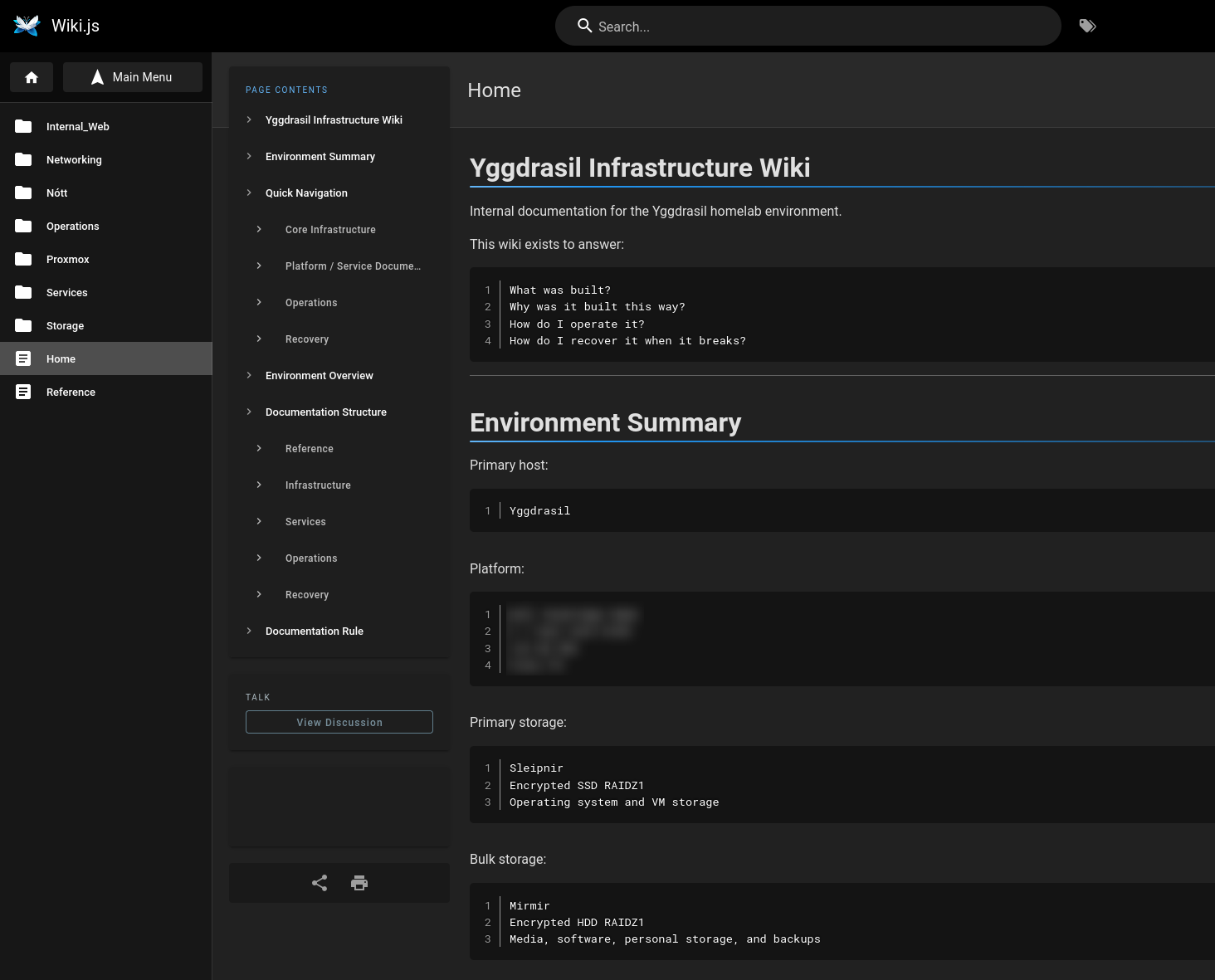
Vidar was born from a simple realization: documentation is only useful if it exists before you need it.
While repairing a storage issue in Jellyfin, I found myself reverse engineering my own infrastructure because I had never documented how it was built in the first place. The problem became even more obvious during the reconstruction of Yggdrasil, where design decisions, workarounds, and unusual configurations accumulated faster than they could be remembered.
Many of the systems in the environment are intentionally customized. Some solutions were straightforward. Others involved days of experimentation, troubleshooting, and design decisions that would be difficult to rediscover months or years later.
Vidar exists to capture that knowledge.
The platform serves as the source of truth for infrastructure design, recovery procedures, configuration notes, troubleshooting guides, and project documentation. Its purpose is not simply to record what was built, but to explain why it was built that way.
Vidar lives in its own dedicated machine to remove any dependencies on other machines in the network.
In Norse mythology, Vidar is associated with endurance and survival. He is one of the few gods destined to survive Ragnarök.
The name felt appropriate for a platform whose primary purpose is preserving knowledge when everything else is on fire.
Nótt - The Clock
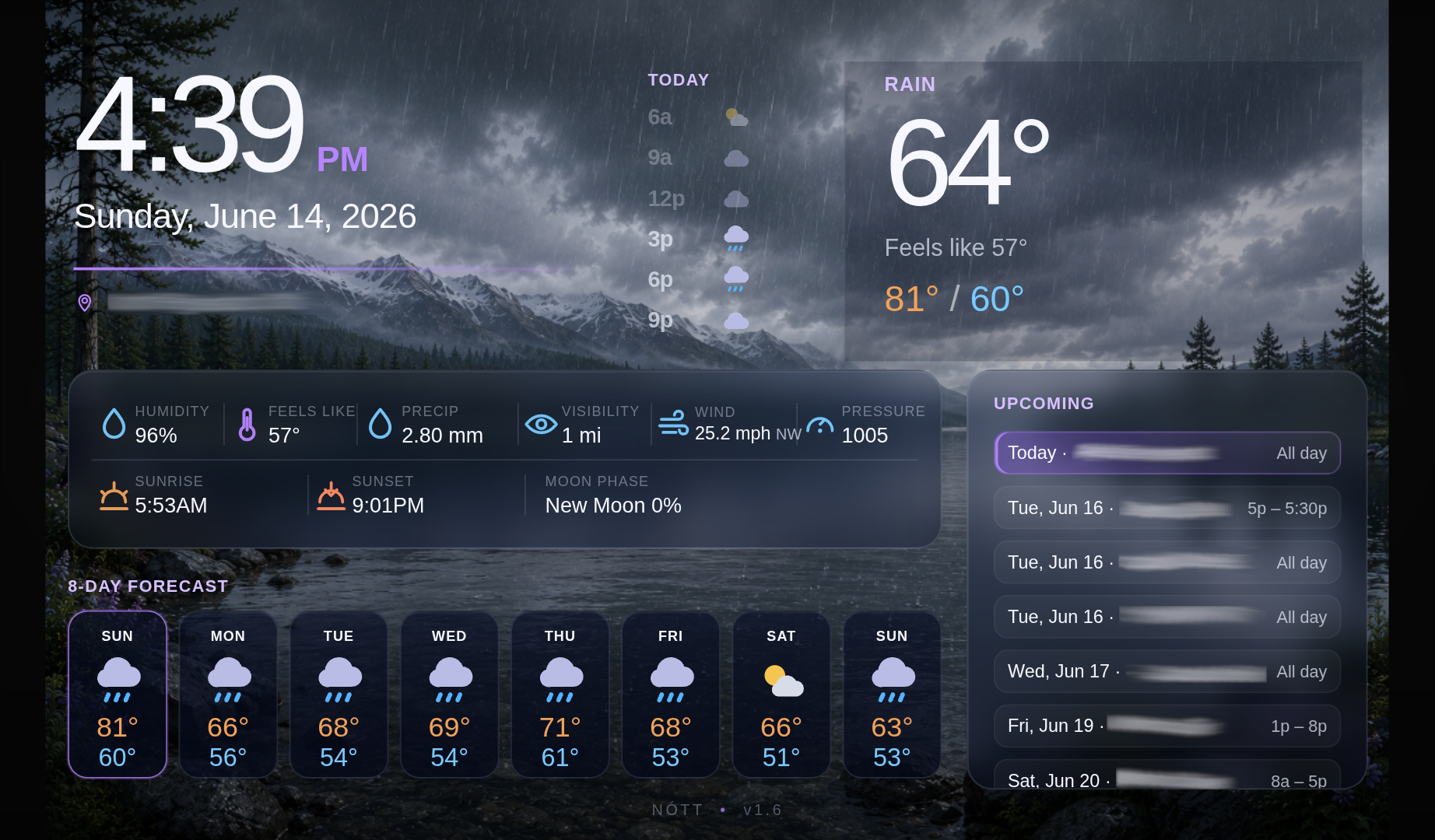
I bought a clock that claimed to display live weather and automatically synchronize its time. Weather meant it had a thermostat that told me the room’s temperature and the clock synchronization never worked. I decided I was done with mediocre hardware and built my own.
Nótt is the result.
Built on a Raspberry Pi and 7 inch touchscreen, Nótt provides reliable NTP synchronization, live weather data, backgrounds that change with weather conditions and time of day, and calendar integration. The goal was simple: create the clock I thought I was buying in the first place.
Future plans include holiday-themed backgrounds and an ambient light sensor for automatic brightness adjustment.
Named after Nótt, the Norse personification of night. Given that the project revolves around time, it seemed fitting.